
This article applies to:
- MailMarshal Cloud
Question:
- How can I set up a blacklist or whitelist?
- How can I block mail from some addresses or servers?
- How can I make sure that mail from some addresses or servers is not blocked as spam?
Reply:
Bypass/Whitelists:
To bypass spam checking for certain external addresses or server IP addresses:
- In the MailMarshal Web Console, navigate to Policy Elements > User Groups.
- Create a new External user group, and add email addresses you want to whitelist.
- Optionally navigate to Policy Elements > IP Groups, create a new IP group, and add IP addresses or ranges you want to whitelist.
- Navigate to to Email Policy > Package Policies > Standard Protection.
- Click User Matching next to the "Anti-Spam (Inbound)" Policy.
- Click "Apply to users matching...", and then check "Except From group".
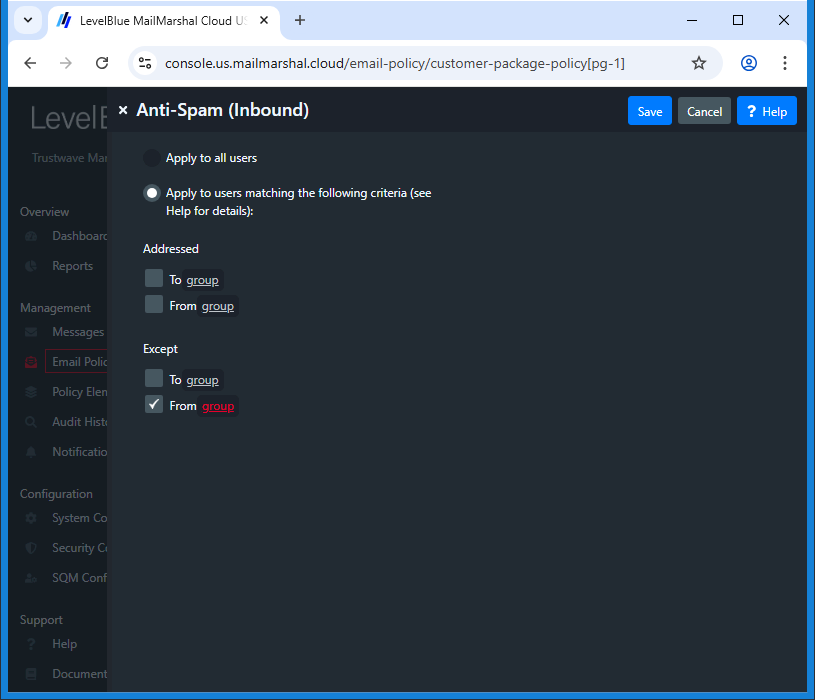
- Click group.
- On the group window, select (check) each of the groups you created above, and use the arrow to and move them to the "Matching" list.
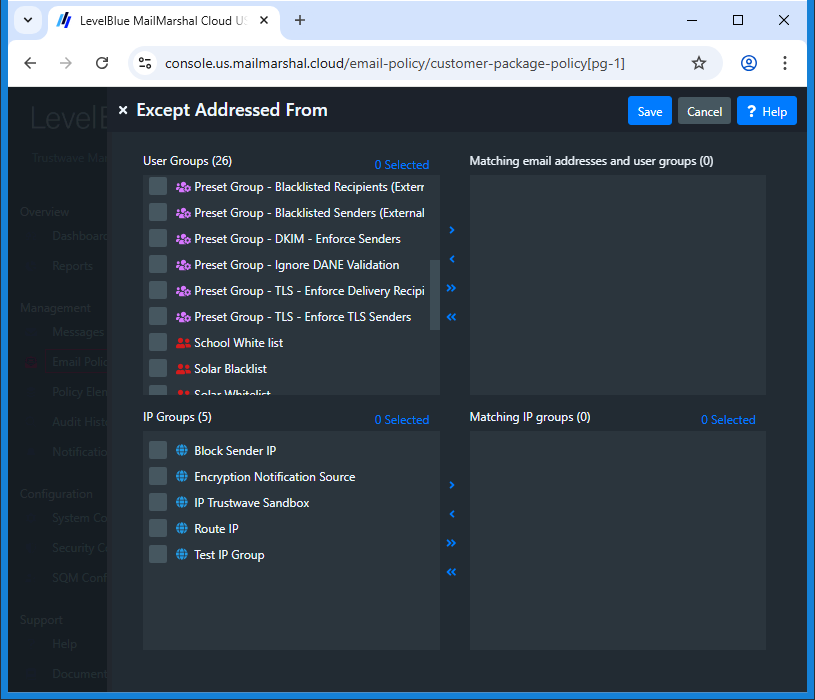
- Click Save, then Save again.
Note: This whitelist will only bypass spam checking. If you wish to bypass specific rules, add User Matching to those rules directly.
Block/Blacklists:
To quarantine all messages from certain email addresses or server IP addresses:
- In the MailMarshal Web Console, create and populate External User Groups or IP Groups as described above.
- Navigate to to Email Policy > Package Policies > Standard Protection >Customer Blacklist (Inbound).
- Click Preset Groups next to the first rule in this policy (Block Blacklisted Email Addresses (Senders).
- Click Insert User Groups.
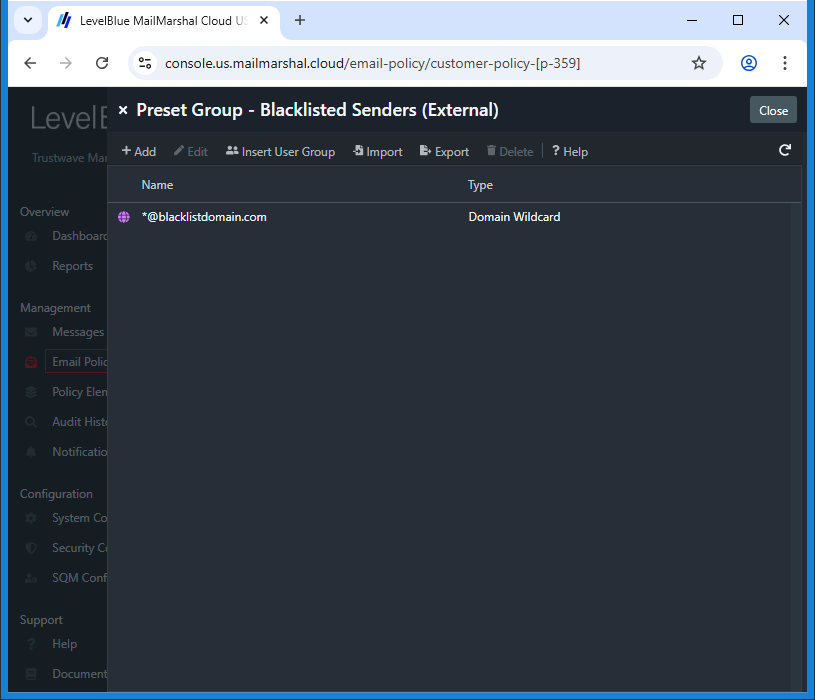
- Select (check) each of the groups you created above.
- Click Save, and then close the Preset Group window..
Notes:
- Anti-Virus/Malware checking cannot be bypassed.
- Changes to rules are applied within approximately 20 minutes.
- Changes to group membership are applied within approximately five minutes.
MailMarshal Cloud KB article Q20202
Last Modified: April 8, 2018
Highlight