This article applies to:
- MailMarshal SEG 8.2 and above
Question:
- What is the SEG Product Improvement Program?
- What data does the Product Improvement Program gather?
- How is the data used?
- How can I see an example of the data gathered from my system for the Product Improvement Program?
Information:
The SEG Product Improvement Program feature in SEG 8.2 and above gathers anonymized data about system configuration and usage. This information is transmitted securely to LevelBlue daily by default as part of the product automatic update process. You can opt out or opt in at any time from the Configurator, in MailMarshal SEG Properties > Advanced System Properties > Product Improvement.
LevelBlue analyzes this data to understand customers' system sizing, performance, and feature usage.
Why participate?
Shared data helps to identify product issues
Access to system configuration and usage information helps LevelBlue to proactively identify issues that may be occurring. For example, where a specific feature is being disabled by customers, LevelBlue can alert the Support team and take steps to investigate the possible causes.
Shared data helps to identify product feature needs
Access to this information helps LevelBlue to know what features or functions to focus on for future development. Information about system resourcing and installation size can be used when designing new features.
For example:
- Knowing how many customers use a certain feature and, in what way, helps LevelBlue to minimise risk during improvements to that feature.
- Data about the Operating System and SQL versions allows LevelBlue to plan for Windows and SQL features that can be used in new releases.
Shared data is anonymous and confidential
The data that is gathered on customer servers does not contain any information that could identify persons or email content.
The data is transmitted securely to LevelBlue and kept securely.
Any data analysis only looks at patterns of usage over a range of sites to understand trends.
What data is sent?
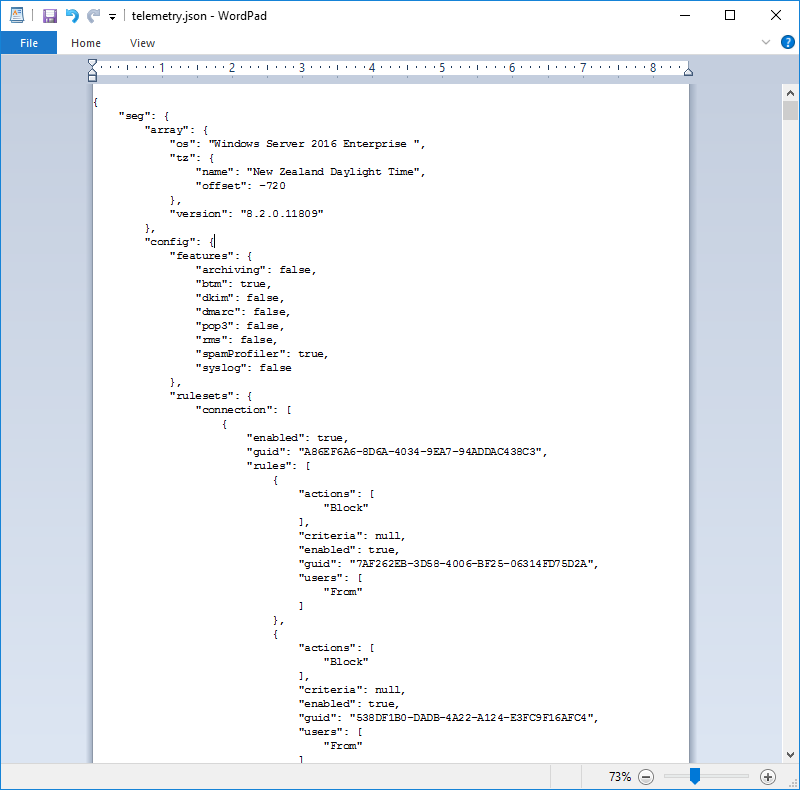
The information is sent in json format. To see the most recent json file generated on your installation:
- On the Array Manager, navigate to the temp folder in the SEG installation.
- Open the file telemetry.json (use Wordpad to see the file in an easy to read format).