This article applies to:
- MailMarshal
- TLS validation rules
Background:
TLS Certificates issued by public Certificate Authorities will no longer enable the Extended Key Usage (EKU) "Client Authentication". This is an industry-wide initiative to enhance security.
Most CAs have already stopped including this EKU in certificates by default. Most CAs will fully remove the EKU from all certificates issued after May 1, 2026. For example see this information from Digicert (external link).
To ensure that you can continue to receive email via TLS, you must allow SMTP Client Certificates that do not contain the "Client Authentication" EKU.
MailMarshal Rule Update Required:
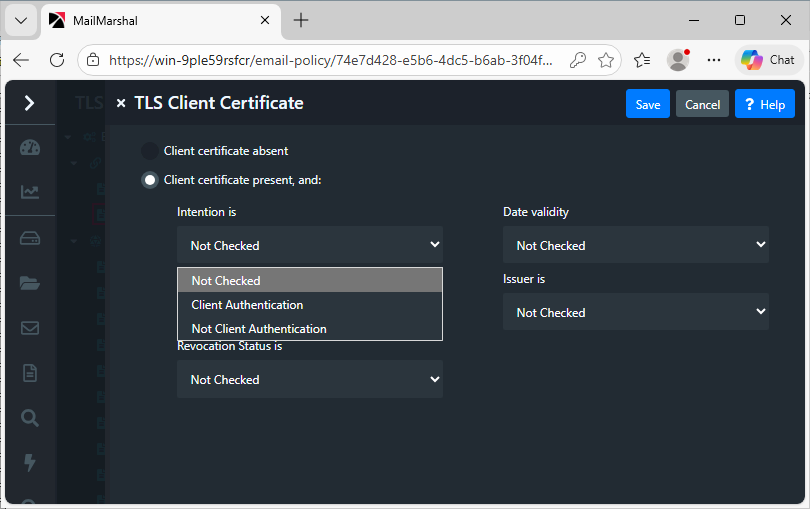
- MailMarshal TLS Client Certificate rules must be updated to not enforce the requirement "Intention: Client Authentication".
- Most MailMarshal versions have a default enabled Connection rule that applies this requirement.
- The rule is "TLS Connection Properties > Reject non-client TLS Certificates"
- Customers could also have enforced this condition in a Content Analysis rule.
- Disable the default rule and any rules that only contain "Intention: Client Authentication". If you have a rule that checks for multiple conditions, set the "Intention" to "Not Checked".
Notes:
The change to the EKU could also affect outbound connections, if the remote server is enforcing the requirement for the "Client Authentication" EKU.
- After updating your server TLS certificate to a certificate that does not contain the EKU, you should monitor mail history for TLS related delivery failures.
- If you find your certificate is being rejected, you may need to contact the owner of the remote server.
