This article applies to:
Question:
Security Alert: The Name of the Security Certificate Is Invalid or Does Not Match the Name of the Site
Reply
Security Alert: The Name of the Security Certificate Is Invalid or Does Not Match the Name of the Site
SYMPTOMS
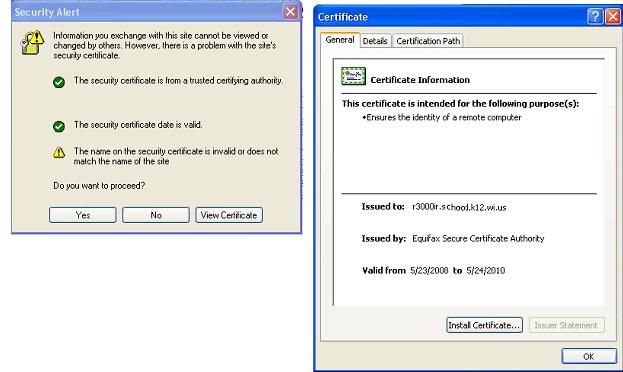
When you use Secure Sockets Layer (SSL) to open a Web Based Authentication Request Form that is hosted on filter, you may receive the following security message:
The name of the security certificate is invalid or does not match the name of the site
If you continue, you can view the page by using HTTPS.
CAUSE
The common name that you specified when you generated the certificate request for that Web site does not match the URL that is used to access the Web Based Authentication Request Form. For example, if you access the page by typing an IP address or the server name, but the common name that is specified in the certificate request is r3000ir.school.k12.wi.us, you receive the security message.
RESOLUTION
To avoid this warning, make sure that the common name that is specified when you generate the certificate request matches the URL that will be used to access the site.
If the URL that will be used to access the site cannot be changed to match the common name on the certificate, follow these steps:
1. Create another certificate request. Make sure that the common name matches the URL that is used to access the Web Based Authentication Request Form.
2. Have your certification authority generate a new certificate.
3. Use the new certificate for the filter
Or
1. Use common name to access the Web Based Authentication Request Form.
Example: https://r3000ir.school.k12.wi.us:8081/AuthenticationServer/AuthenticationForm.jsp
Note: To avoid all security messages when you access a site by using HTTPS, the security certificate must meet the following two additional criteria:
1. The security certificate must be from a trusted certification authority.
2. The security certificate date must be valid.
- This article was previously published as:
- 8e6 KB 288551
