This article applies to:
Question:
How can I change the webclient password?
Reply
1. Click the Settings topic and then navigation User Permission panel
2. Click the Edit All Users button to open the User Information dialog box:
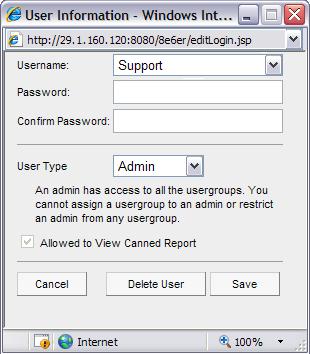
3. Type in the New Password, entering eight to twenty characters including at least one alpha character, one numeric character, and one special character. The password is case sensitive.
4. Type in the same characters for the new password in the Confirm Password field.
TIP: Click Cancel if you wish to return to the My Account box without saving your entries.
5. Click Save to save your settings.
- This article was previously published as:
- 8e6 KB 289342
