This article applies to:
Question:
When applying the 2.2.0 patch on my R3000 filter, I get the following message “NTLM authentication is no longer supported. Call technical support”, and that is after I accept the EULA. How do I resolve this?
Information:
NTLM is an acronym for NT LAN Manager and its a network authentication in the Windows NT 4.4 operating system. The reason for the pop up is because you have the "NT Authentication server details" fields filled out under System tab on the filter. That is when you go to System->Authentication->Authentication Settings. (See Fig. 1)
So you would need to go to the following location and delete all entries from all the fields. The only time you would put ant information in these fields would be when you are using NT 4.0
After you removed the entries click "Apply" at the bottom of the page and then go ahead and apply the 2.2.00 patch again.
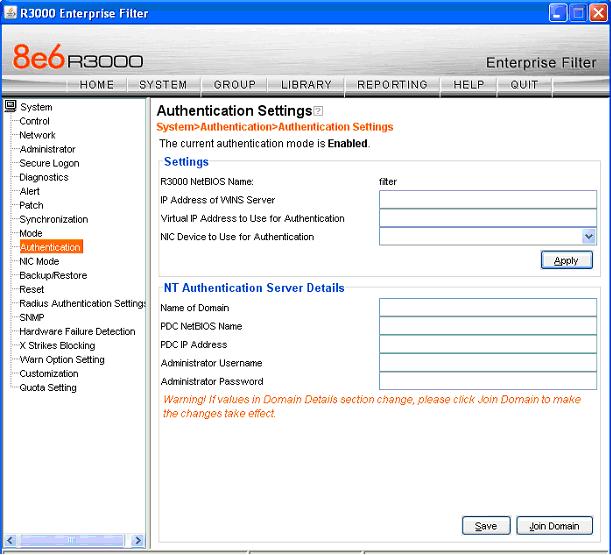
Fig. 1
