This article applies to:
Question:
- How can I purge the data saved in an evaluation reporter before sending back to Trustwave?
- How can I purge the data saved in the reporter and restart from scratch?
Procedure:
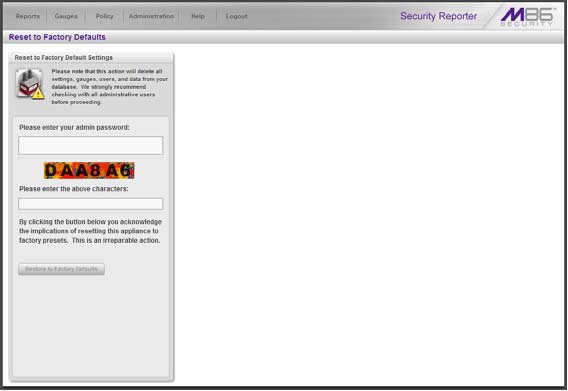
The global administrator uses the Reset to Factory Defaults panel, if necessary, to purge all data saved in the SR.
From the SR navigation toolbar, mouse over the Administration menu link and select Reset to Factory Defaults to display the Reset to Factory Defaults panel.
Type the administrator password and the characters displayed on the screen. Then click Reset to Factory Defaults.
Notes:
This feature deletes all settings made to the SR including administrator, group, and real time gauge configuration settings.
Alerts and all saved data will be purged and cannot be restored.
When executing this function, the current software update level is now retained on the server along with network settings, and if activated, the server returns to evaluation mode.
